Frontend Design Skill for Claude Code: Give Your Agent Measured Taste
2026-11-15 · zhoujingkang · Founder
Search engines are quietly naming a new category. "Frontend design skill claude", "taste skill claude", "design skill claude" — all of these queries broke out of zero in recent weeks, and they all describe the same need: coding agents already write working UI, but they write it with invented colors and unmeasured contrast, and developers are looking for something to install that fixes that. This article is the complete walkthrough of ColorwayKit — the web tools, the MCP server and the skill — with screenshots of every layer, so you can see exactly what "giving your agent taste" looks like in practice.
Why is everyone searching for a frontend design skill for Claude?
A coding agent already writes your components, your routes and your tests. What it does not have is taste: ask five agents for a landing page and you get the same cream background, the same terracotta accent, the same font pairing — and none of the color pairs measured. The failure compounds over a project: community experiments keep finding that by the third or fourth page, the agent has drifted back to its own defaults and your brand is gone.
A "design skill" or "taste skill" is the emerging answer: a small instruction file plus tooling the agent loads by itself, so design decisions come from written constraints and measured numbers instead of the model's priors. The searches breaking out right now are people shopping for exactly that. Below is what a complete implementation looks like.
What is ColorwayKit? The product, end to end
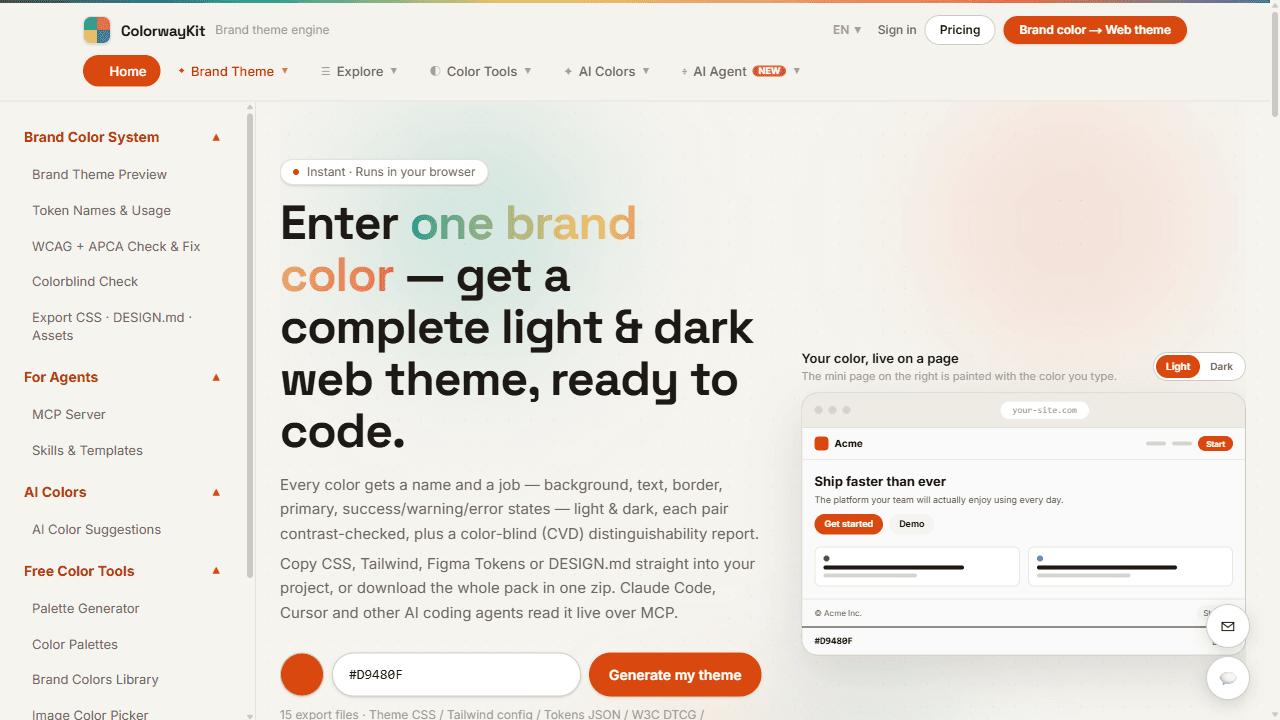
ColorwayKit turns one brand color into a complete, measured web theme. You paste a hex (or extract one from your logo), and the engine derives 23 semantic color roles — background, surface, on-surface, primary, success, warning, error and more — in light and dark variants, with every text/background pair measured under WCAG 2.1 and APCA and a color-blindness report generated across four vision types. That theme ships as 15 export files, and it is reachable three ways: free web tools, an MCP server for coding agents, and a skill that teaches the agent the whole workflow.
The three layers share one engine and one set of numbers, so what the agent writes, what the website previews and what the exports contain never disagree.
The web tools: what you can do free, no account
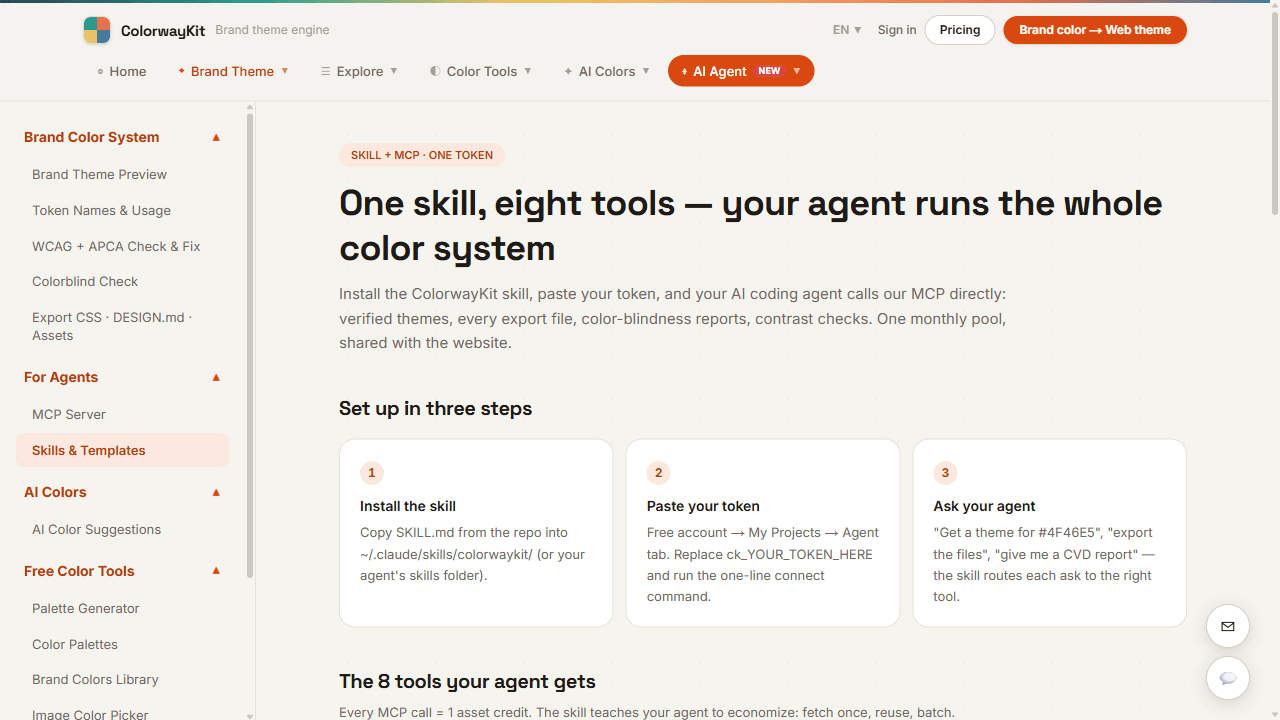
The Brand Theme Engine is the flagship: paste your hex, tune it, and walk through five tabs — Preview (your color on real UI templates), Color roles, Readability (every failing pair flagged), Color-blind check, and Export. A one-click fix nudges any failing color while preserving your brand hue. Around it sit the free single-purpose tools: a color contrast checker, a Tailwind color generator, a palette generator, AI color suggestions, an image color picker, a curated palette library and a brand color library.
Everything in the core flow runs in your browser and needs no account — the tools are the fastest way to judge the engine before wiring an agent to it.
The MCP server: eight tools your agent calls directly
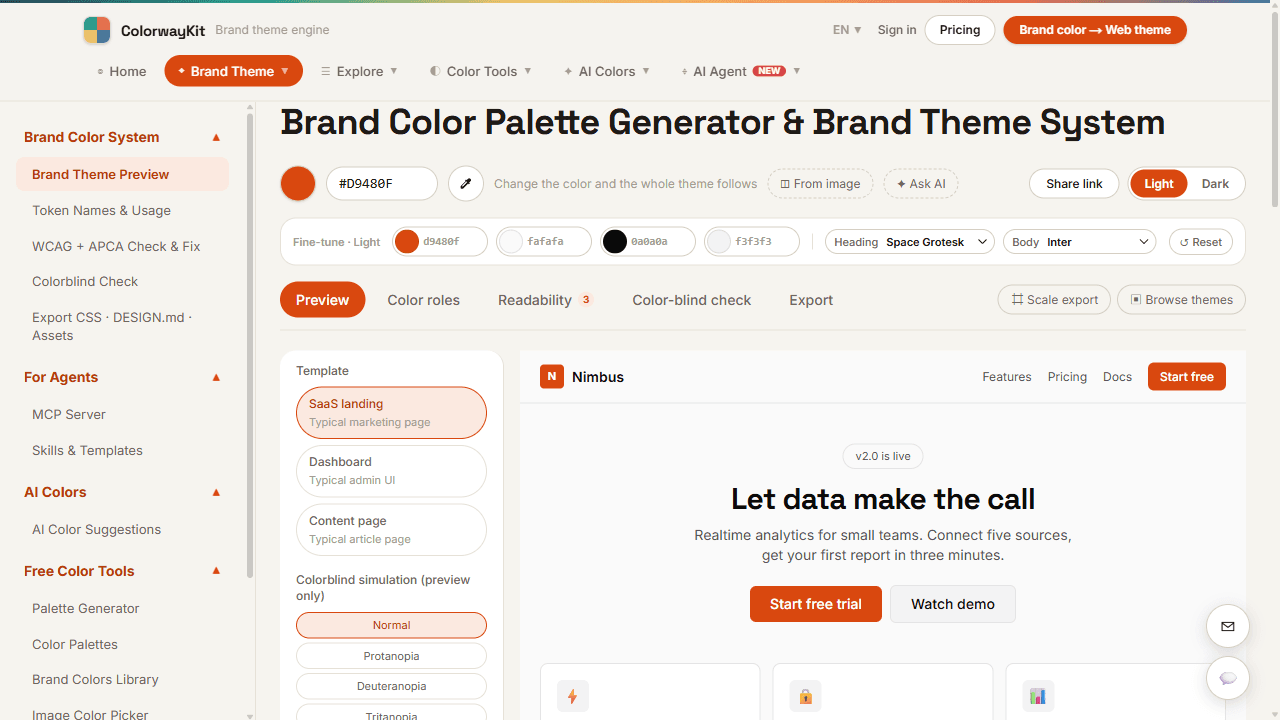
For Claude Code, Cursor, Codex or Gemini CLI, ColorwayKit runs an MCP server over Streamable HTTP. Your agent gets eight tools: get_theme (one hex → the full verified theme), export_assets (every export file in one call), export_cvd (color-blindness report as Markdown + JSON), get_report (full accessibility report for PRs and CI), check_pair (judge any pair with a hue-preserving fix on fail), get_token_usage (what each role is for), get_theme_by_project and list_projects (your saved cloud themes).
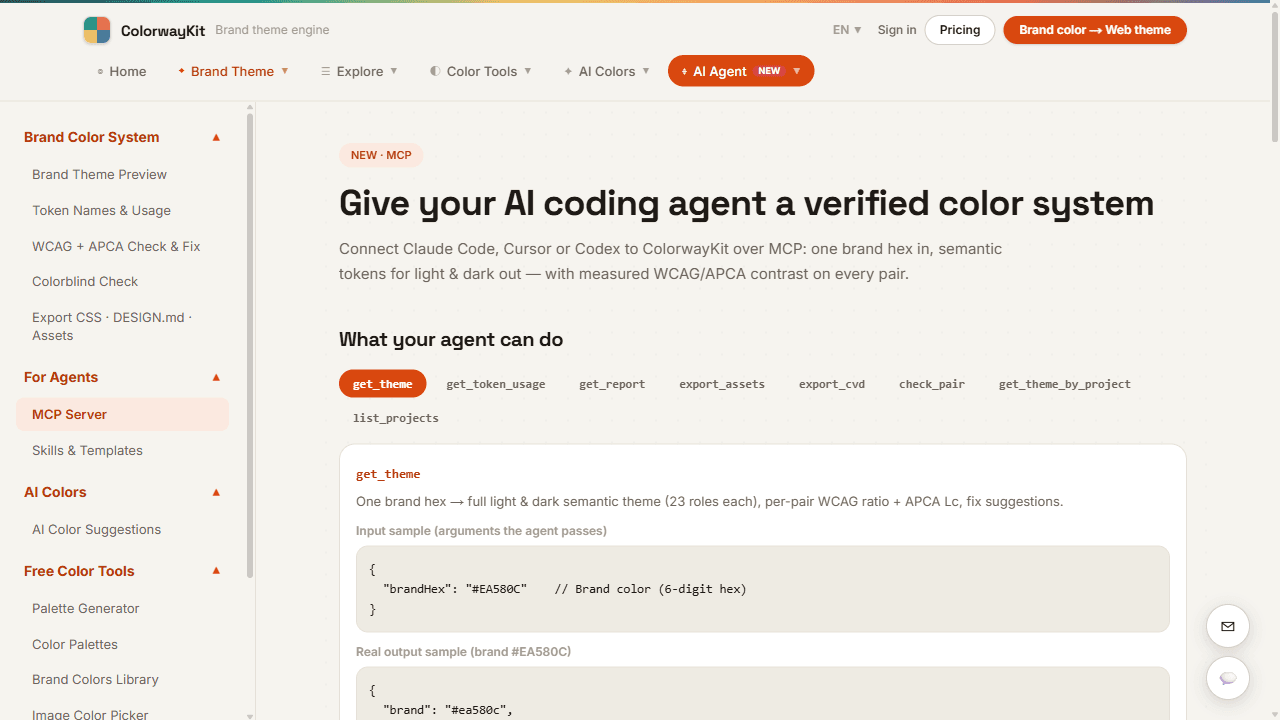
Setup is one command with a free token from My Projects → Agent tab. The skill below teaches the agent when to call each tool — and the rule that no color ships unmeasured.
The claude code skill: install in 60 seconds
The colorwaykit-for-agents repository holds one standard SKILL.md: a fill-in-your-token setup, a tool map for all eight MCP tools, workflow rules (never invent colors, never guess contrast, regenerate rather than hand-edit), and a file-contract fallback for projects that ship DESIGN.md. Copy it into your agent's skills folder, paste your token, and it is live for every conversation.
If you prefer files over live calls, export DESIGN.md once and commit it — the skill follows it offline, and any agent that reads Markdown can honor the same contract.
Measured, not asserted: WCAG, APCA and color-blind checks
"Taste" in this system is not a vibe — it is named roles plus recorded numbers. Every pair ships with its WCAG 2.1 ratio and its APCA Lc value, because the two models answer different questions and a color can pass one while reading poorly under the other. The color-blind report re-measures every role pair under four vision types, so accessibility reviews cite numbers instead of opinions.
That is the difference between a style guide the agent ignores and a system it obeys: "use our brand orange" is a suggestion, "primary is this hex with a measured 4.7:1 on the background" is a contract.
Exports: 15 files, including the W3C DTCG format
The export bundle covers every format a stack consumes: theme CSS, CSS variables, Tailwind v3 and v4 configs, SCSS, Tokens Studio JSON, W3C DTCG, DESIGN.md, component styles, a self-contained preview page, WCAG/APCA reports and more. Design tokens are the connective tissue — the same semantic roles flow into every file, so Figma pipelines, Style Dictionary builds and agent-written markup all read the same names.
If you are new to the format, start with the definition; if you maintain a token pipeline, the DTCG export is the standard-compliant file to diff.
Claude Design is closing: your file-based alternative
Anthropic has announced that the standalone Claude Design site closes on December 14, 2026, moving to Artifact — and the community reaction is already about the limits: uploads capped at 20 files and 16 MB. If your design system lives as files in your repo, none of that applies: DESIGN.md is plain Markdown, versioned with your code, diffable in review, and unlimited by anyone's upload queue.
That is the quiet advantage of the file-contract route: the brand system lives where your code lives, and the agent reads it like any other source file. If you are migrating off a hosted design tool, the migration guide covers the color-drift traps to avoid on the way.
Continue with a tool
References
FAQ
What is a frontend design skill for Claude Code?
It is a small instruction file (plus connected tooling) that the agent loads by itself, giving it written design constraints — named color roles, measured contrast values and rules like "never ship an unmeasured pair" — so UI output follows your brand instead of the model's defaults.
What is a "taste skill"?
The community's shorthand for the same idea: taste = constraints written down + numbers attached. ColorwayKit implements it as 23 named roles, WCAG 2.1 and APCA measurements on every pair, and a regenerate rule that keeps the numbers current.
What is Claude Design, and why is it closing?
Claude Design was Anthropic's standalone site for generating designs; it closes on December 14, 2026 and moves into Artifact, which caps uploads at 20 files and 16 MB. If you keep your brand system as files in your repo (DESIGN.md + tokens), none of those limits apply and any agent can read them.
Does this work outside Claude Code?
Yes. The skill is plain Markdown for Claude Code's skills folder, and the MCP server works with any client that supports Streamable HTTP — Cursor, Codex and Gemini CLI included.
How much does it cost?
The web tools and the skill are free to use and install. The MCP server and file downloads share one asset-credit pool: 10 per month on the free plan, 100 on Plus, unlimited on Pro.
Try it on your own brand color
Paste one hex into the Brand Theme Engine and get a full light & dark web theme — semantic tokens, contrast-checked, export-ready.
Open the Brand Theme Engine →